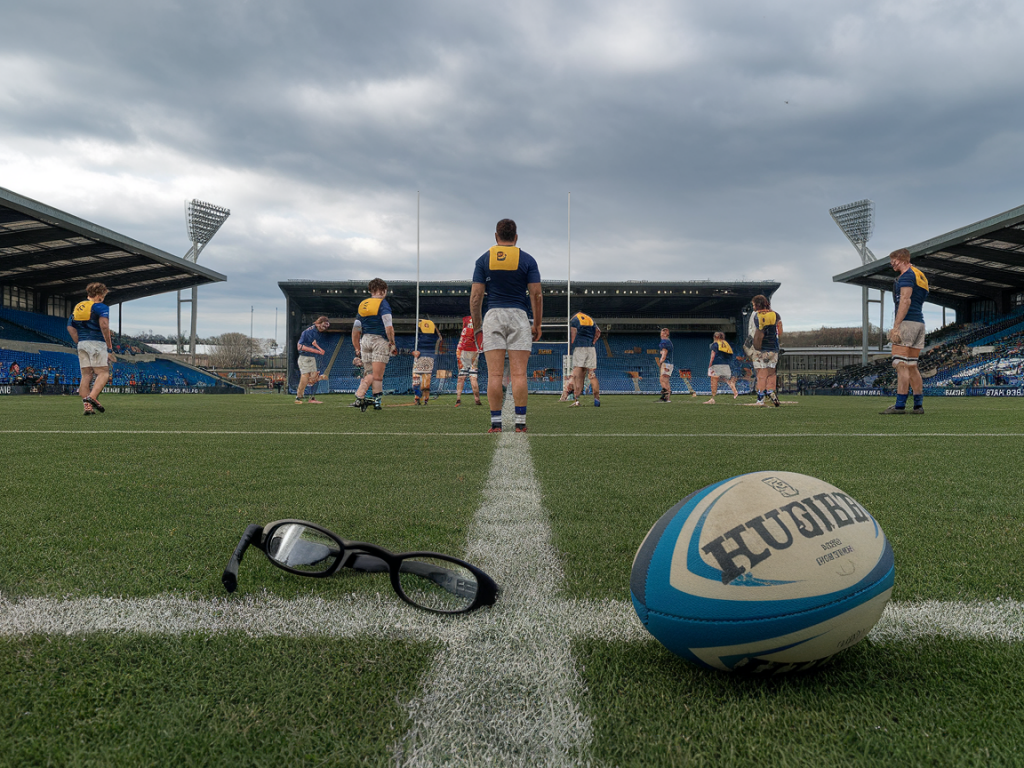
At elite rugby clubs, GPS tracking has become as standard as strength and conditioning sessions. I've seen firsthand how monitoring metres, sprints and collision counts can change training load decisions, reduce soft-tissue injuries and improve availability across a long season. But GPS isn't reserved for the pros — with a little know-how you can use the same principles at amateur level to keep your squad fitter, fresher and on the pitch more often.
Why top clubs rely on GPS
Elite teams invest in GPS because it gives objective, repeatable data about what players do on the pitch. A few key benefits I’ve observed working with semi-pro and club setups:
External load quantification: GPS tells you distance covered, high-speed running, sprint counts and acceleration loads — metrics you can’t reliably estimate by eye.Individualisation: Not all backs or forwards cover the same loads. GPS lets coaches tailor sessions and recovery to the individual.Injury risk management: Data highlights sudden spikes in load or chronic under/over-loading that correlate with higher injury risk.Objective return-to-play progression: When a player is returning from injury, GPS helps set progressive targets (e.g. total metres, number of sprints) to ensure they’re ready for match demands.These reasons aren’t theoretical. I’ve used GPS outputs to pull a player out of training a week before a match after seeing a workload spike and a trend of poor sleep and soreness. That small decision kept them available for selection later in the season.
Key GPS metrics you need to know
You don’t have to memorise every metric your device spits out. Focus on practical ones:
Total distance: Useful as a rough ballpark of match demands — but less informative alone.High-speed running (HSR): Typically defined relative to a speed threshold (e.g. >5.5 m/s). Backs usually perform more HSR than forwards.Sprint efforts: Number of maximal or near-maximal efforts. Critical for assessing readiness for competitive speed demands.Accelerations/decelerations: Important for collision sports — frequent changes of speed load the musculoskeletal system differently than steady running.PlayerLoad™ or similar composite load: Many devices provide an accelerometer-derived load that captures multi-directional efforts.When you combine those data with subjective measures (RPE, soreness, sleep) you get a fuller picture.
Simple methods amateurs can adopt today
You don’t need hex-agon units or a six-figure budget. Here are practical, low-cost ways to bring GPS-informed practice into your club.
Use phone apps or entry-level devices: Many phones with GPS can give distance and pace metrics (e.g. Strava, Runkeeper). Affordable GPS units like Catapult Optimeye Mini alternatives or GPS-enabled watches (Garmin, Polar, Coros) give enough data for club use.Start with baseline matches: Record two to three matches to establish typical game loads for each position — total distance, HSR, sprints. That gives realistic training targets.Monitor acute:chronic workload ratio (ACWR): The principle is simple — compare the last week’s load (acute) to the average of the previous four weeks (chronic). A commonly cited “danger zone” is an ACWR spike above ~1.5, though the exact threshold is debated. The aim is to avoid big, sudden increases in load.Combine objective and subjective data: Use a quick post-session RPE (0–10) multiplied by session duration to get session-RPE load. It’s a validated, cheap proxy when GPS isn’t available.How to interpret workload trends — practical examples
Here are scenarios I use when advising coaches:
Case A — Sudden spike: A winger’s HSR jumps by 40% in one week after only moderate training previously. Action: reduce maximal sprint volume the next 7–10 days, prioritise technique, introduce extra recovery (active recovery sessions, mobility), and monitor sleep.Case B — Chronic underload: A hooker’s chronic load is very low compared to match demands. Action: progressively increase contact and tempo drills to build resilience; use controlled collision sessions and strength work focused on eccentric control.Case C — Return-to-play: Use match baseline metrics. If a player’s rehab GPS session reaches 75% of match top speed, 60% of match HSR and 50% of sprint counts in controlled conditions, you’re moving toward full training. Always combine with clinical clearance.Designing a GPS-informed microcycle
Below is a simple sample week for a club training twice during the week plus a match. Adjust volumes per position and for your squad’s match demands.
| Day | Focus | GPS/Load Targets |
|---|
| Monday | Recovery / Light skills | 20–30% of match total distance; no sprints; low PlayerLoad |
| Tuesday | High-intensity / speed | 40–60% HSR target; 2–4 short sprints (10–30m) per player; moderate PlayerLoad |
| Wednesday | Rest or light gym | No on-pitch load; mobility and RPE monitoring |
| Thursday | Game prep / tactical | 50–70% match distance; controlled contact; limited max sprinting |
| Friday | Pre-match activation | 10–20% distance; walk-through kicks and set-piece; fresh legs |
| Saturday/Sunday | Match | Match loads recorded — baseline for next week |
Note: those percentages should be informed by your baseline match data. For example, if your match HSR is usually 900m for a player, a Tuesday target at 50% means ~450m HSR in that session.
Choosing equipment and data workflow for clubs
If you’re starting out, here’s a pragmatic ladder:
Zero budget: Use phone GPS apps to track distance and rough speed zones. Combine with session-RPE.Low budget (~£100–£300/player): GPS watches (Garmin Forerunner/Forerunner 45/55 or Polar Vantage M2) or simple GPS pods. These provide reliable pace, distance and some high-speed metrics.Club investment (~£1,000+): Consider team GPS units with software (Catapult, STATSports). They offer collision counts, detailed sprint profiles and dashboards for squad trends.Workflow tips:
Standardise wearing position (upper back is standard for pods) to keep data consistent.Assign one person (coach or volunteer) to export/compile data weekly — consistency beats complexity.Use simple dashboards: weekly totals, 4-week rolling averages and ACWR graphs are enough to start.Common pitfalls and how to avoid them
Working with GPS also involves traps. From my experience coaching, the following are the usual mistakes and how to prevent them:
Over-reliance on numbers: Data is a tool, not a replacement for context. If a GPS stat looks odd, check with the player: were they substituted early, carrying a niggle, or limited by weather?Poor data hygiene: Inconsistent wearing, failing to calibrate devices or mixing different device brands can produce unreliable trends. Standardise your process.Ignoring player buy-in: Players need to understand why you collect data. Share simple summaries and use the data to support decisions (e.g. who gets extra rest) — transparency builds trust.Practical checklist to implement GPS-informed practice this season
Record 2–3 matches to build position baselines.Choose an affordable device or app and standardise wearing protocol.Collect session-RPE and a one-question wellness survey (sleep, soreness, stress).Monitor ACWR weekly and flag spikes above ~1.3–1.5 for review.Use data to individualise drills, recovery and return-to-play progression.Communicate findings simply with players and coaches — graphs and short notes work best.GPS won’t solve every injury problem, but used thoughtfully it gives you an evidence-based framework to manage load, catch risky spikes and build resilient players. At amateur level, the goal isn’t to match the sophistication of a Premiership backroom — it’s to make better decisions, protect your players and maximise availability using tools and principles that scale down perfectly well.